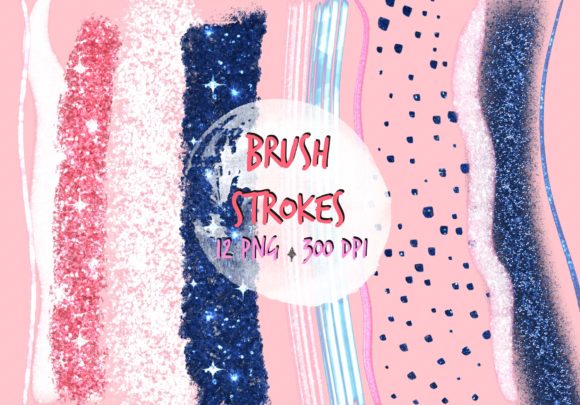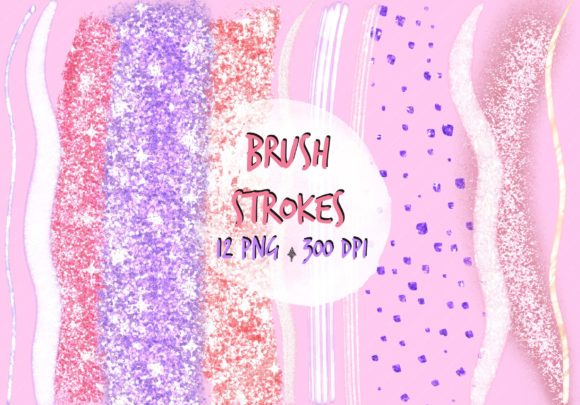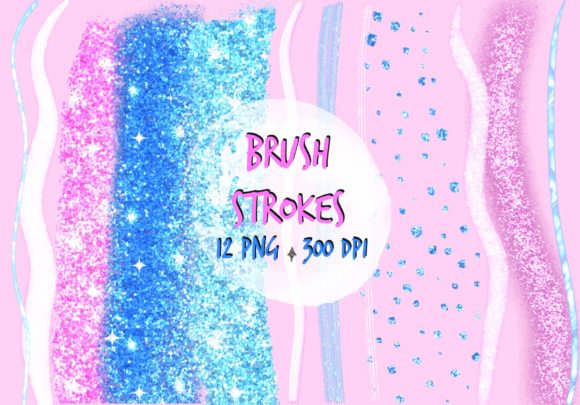
Bundle Brush Strokes Clip Art for Designers
In the world of digital design, the line between a generic template and a bespoke creation often comes down to texture. A flat vector shape might convey information, but it rarely conveys feeling. This is where Bundle Brush Strokes Clip Art becomes an essential tool in your creative arsenal. These assets bridge the gap between rigid digital geometry and the organic unpredictability of hand-painted media. Whether you are crafting a social media banner, designing product packaging, or assembling a scrapbook layout, adding authentic brush textures instantly elevates the perceived value of your work.
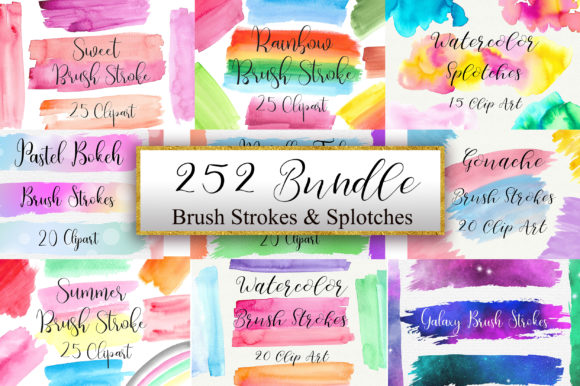
The specific collection known as Bundle Brush Strokes and Splotches Clip Art offers a robust solution for creators who need variety without the time commitment of painting every element from scratch. With 252 high-quality PNG files included in this set, you gain access to a vast library of artistic marks that can be layered, resized, and colored to fit any project. The inclusion of transparent backgrounds ensures these elements integrate seamlessly into complex compositions, while the 300 dpi resolution guarantees crisp edges even when printed on large formats like posters or packaging boxes.
Understanding the Power of Organic Texture
Digital design has long struggled with the "sterile" look that comes from perfect lines and solid colors. While precision is valuable in technical illustrations, most marketing and personal projects benefit from a touch of human imperfection. Bundle Brush Strokes Clip Art introduces this necessary chaos. The strokes mimic the pressure variation of a real brush against paper, capturing the dry bristles, the wet flow, and the accidental splotches that occur during the painting process.
This set is particularly useful because it categorizes these textures into distinct styles. You will find fine, calligraphic lines ideal for underlining text or creating delicate borders. Conversely, the splotches offer bold, heavy accents that can serve as background washes or focal points. By mixing these two types, designers can create depth and hierarchy within a single image. For instance, a soft, watercolor-style splotch behind a headline can draw the eye, while a sharp, ink-like stroke underneath can ground the typography.
The versatility of these PNG files allows for non-destructive editing. Since they are provided as transparent images, you can place them over photographs, gradients, or other graphics without worrying about white boxes obscuring your underlying layers. This flexibility is crucial for modern workflows where speed and adaptability are key. Instead of spending hours masking out backgrounds or painting custom textures, you can drag and drop these assets to achieve a professional look in minutes.
Practical Applications Across Industries
The utility of this clip art bundle extends far beyond simple decoration. It serves as a foundational element for various creative industries, each with unique requirements for visual communication.
- Graphic Design and Branding: For small business owners and entrepreneurs, branding needs to feel personal yet professional. Using brush strokes as part of a logo or brand pattern can signal creativity and approachability. A coffee shop, for example, might use warm, earthy splotches to evoke the aroma of roasted beans, while a tech startup could use sharp, monochromatic strokes to suggest innovation and energy.
- Packaging Design: In the competitive retail space, packaging must stand out on the shelf. High-resolution 300 dpi files ensure that when these designs are printed on boxes, labels, or bags, the texture remains visible and tactile. A skincare brand might use soft, pastel brush strokes to communicate gentleness and natural ingredients, enhancing the unboxing experience.
- Social Media Marketing: Content creators and marketers know that engagement often hinges on visual appeal. Social media banners, Instagram stories, and YouTube thumbnails benefit immensely from dynamic textures. A simple text overlay on a plain background often gets scrolled past, but the same text layered over a vibrant, artistic splotch demands attention. These assets help brands maintain a consistent aesthetic across all digital platforms.
- Scrapbooking and Card Making: Hobbyists and educators frequently use digital tools to create physical keepsakes. The ability to print high-quality brush strokes means you can cut them out for mixed-media projects or print them directly onto cardstock. This bridges the gap between digital planning and analog crafting, allowing for intricate layering that would be difficult to achieve with standard stamps or markers.
- Education and Publishing: Teachers and publishers often need visuals that are engaging but not distracting. Brush strokes can be used to highlight key concepts in worksheets, decorate headers in e-books, or add visual interest to lesson plans. They provide a "handmade" feel that resonates well with students and readers alike.
Strategies for Effective Integration
While the Bundle Brush Strokes and Splotches Clip Art set provides 252 options, the key to great design lies in how you use them. Simply scattering random strokes across a canvas can lead to a cluttered, confusing result. To keep your designs clear and effective, consider the following strategies.
Maintaining Visual Hierarchy
Use size and opacity to guide the viewer's eye. Large, opaque splotches should generally serve as backgrounds or major compositional anchors. Smaller, semi-transparent strokes work best as subtle details or connecting lines. Avoid using multiple large, competing textures in the same area; instead, let one dominant stroke define the mood while smaller elements support it.
Color Consistency
Although these clip art files come in various colors, they are most powerful when recolored to match your brand palette. Because they are high-quality PNGs, you can easily adjust their hue and saturation in software like Photoshop, Canva, or Illustrator. Ensuring that your brush strokes share a color family with your text and imagery creates a cohesive, polished look. For example, if your primary brand color is navy blue, try desaturating the strokes and tinting them with a deep indigo rather than leaving them in their original bright red or yellow.
Layering for Depth
One of the most effective techniques is layering different types of strokes. Place a large, soft splotch at the bottom layer to create a wash effect. On top of that, add a sharper, darker stroke to frame your content. Finally, use tiny specks or fine lines as a top layer to add grit and detail. This mimics the way a painter works, building up layers of paint to create richness and dimension.
Adapting for Different Audiences
The same asset can speak differently depending on your target audience. When designing for a corporate audience, opt for minimalism. Use a single, clean stroke in black or dark grey to underline a statistic or separate sections of a report. This adds a touch of personality without undermining professionalism. Conversely, when targeting children or families, embrace the full spectrum of the bundle. Bright, overlapping splotches in primary colors can create a playful, energetic atmosphere that feels inviting and fun.
For freelancers and bloggers, consistency is paramount. Create a style guide that dictates which brush strokes you will use for headers, subheaders, and pull quotes. By reusing specific assets across your portfolio, you build a recognizable visual identity. Clients and readers begin to associate those specific textures with your brand, reinforcing trust and recognition.
Maximizing Your Creative Workflow
With 252 files included in the Zip file, organization is critical. Before starting a project, take a moment to preview the collection and tag or sort the files by style—grouping the splotches separately from the fine lines, or organizing by color intensity. This preparation saves valuable time during the design process, allowing you to focus on composition rather than searching through folders.
Furthermore, do not limit yourself to the default orientation. Rotate, flip, and scale the strokes to fit your unique layout. A vertical stroke can become a horizontal divider; a circular splotch can be stretched into an oval accent. The high resolution ensures that these transformations do not degrade the quality of the image. Treat these clip art pieces as raw materials, much like a carpenter treats wood, ready to be shaped and fitted to the specific needs of your project.
Ultimately, the Bundle Brush Strokes Clip Art is more than just a download; it is a catalyst for creativity. It empowers creators to infuse their digital work with the warmth and character of traditional art. Whether you are a seasoned graphic designer looking to streamline your workflow or a hobbyist eager to elevate your crafts, this collection provides the tools you need to make your vision stand out. By combining practical application with artistic flair, you can transform ordinary projects into memorable experiences that resonate with your audience.